This site is under construction!
This site is being actively worked on.
Feel you could help? Please do by clicking on the page with a pencil on the right!
This can be done any page too.
Creating an ImGui Window
This page covers how to create a basic ImGui window.
Setup
Before using ImGui, some setup is required:
local im = ui_imgui -- shortcut to prevent lookups all the time. should help with optimization
local imguiExampleWindowOpen = im.BoolPtr(true)
imguiExampleWindowOpen will be used to determine when this example window should be rendered.
Window Rendering
ImGui windows and their contents must be recreated for every frame they should be displayed. This means that some form of onUpdate function is necessary to use ImGui.
local function onUpdate()
    if worldReadyState == 2 then
        if imguiExampleWindowOpen[0] == true then
            imguiExample()
        end
    end
end
M.onUpdate = onUpdate
This will run a function to create this example's window, so long as the level is fully loaded, and that the example window should be displaying.
Window Content
If you're new to writing ImGui, think of it as a distant cousin of HTML:
im.SetNextWindowSize(im.ImVec2(x, y), im.Cond_FirstUseEver)defines your viewport size if it hasn't already been definedim.Begin()andim.End()is your<body>and</body>im.Text()is your<p></p>
local buttonPresses = 0

local function imguiExample()
    im.SetNextWindowSize(im.ImVec2(366, 100), im.Cond_FirstUseEver) -- prepare our window
    im.Begin("Hello World, I am a window") -- create a window with the title of "Hello World, I am a window"
        im.Indent() -- a... padding element
            im.Text("Hello World, I am text.") -- add a line of text, somewhat like a <p> element
            im.SameLine() -- Not really HTML. This appends the following element to the same line as the previous element.
            if im.Button("The Hello World Button") then -- Like <button>. This runs Lua when pressed.
                buttonPresses = buttonPresses + 1
            end
            if buttonPresses > 0 then
                im.Text("The Hello World Button has been pressed " .. buttonPresses .. " times!")
            else
                im.Text("The Hello World Button has not been pressed.")
            end
        im.Unindent() -- end the "padding element"
    im.End() -- complete our "canvas" so it can be drawn
end
You can add the following function to easily toggle visibility of the window:
Result
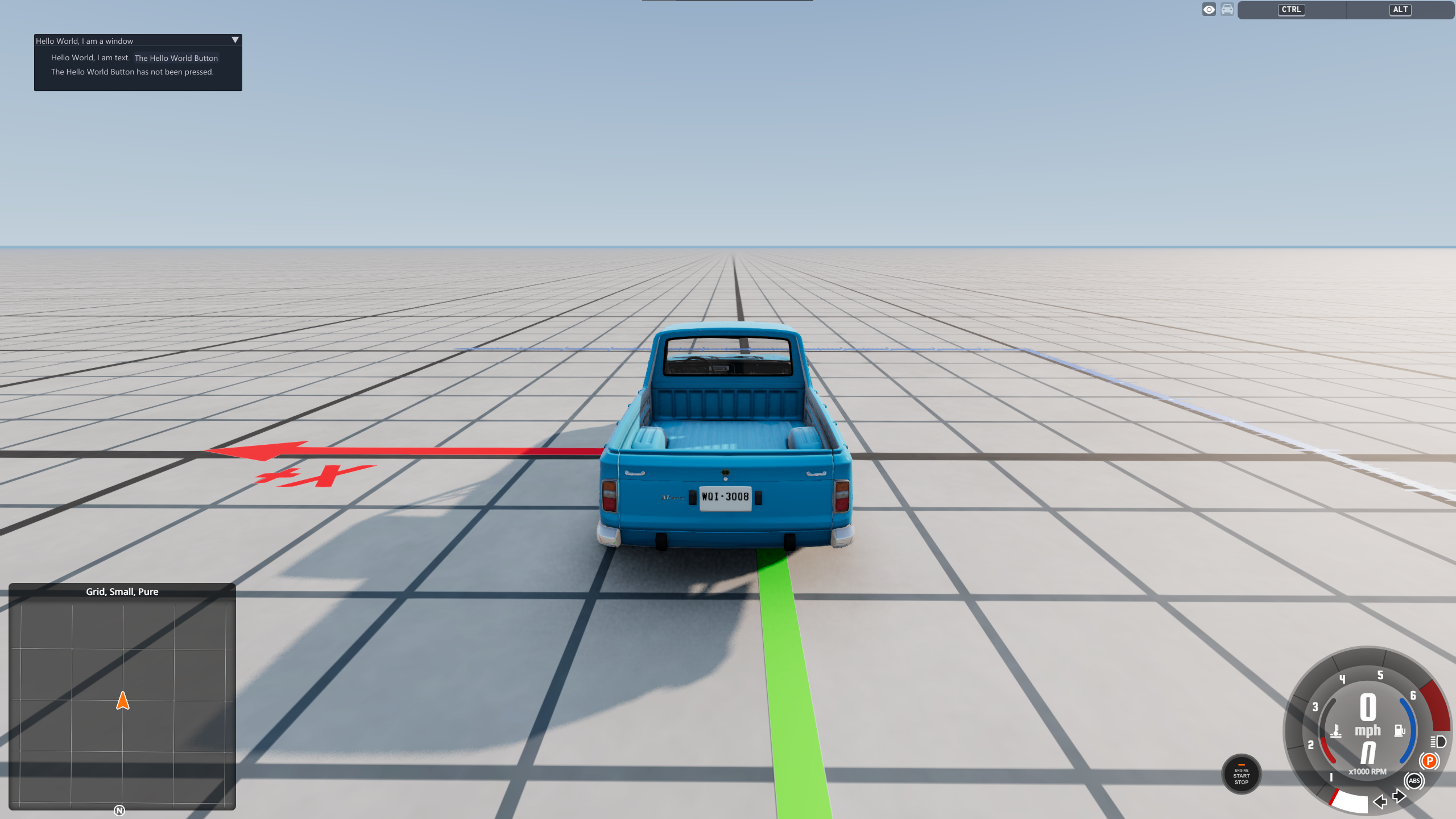
When the The Hello World Button button is pressed, the counter below it will update to display the amount of times the The Hello World Button button has been pressed.
Download
This tutorial is almost entirely based off of StanleyDudek's ImGui example mod. You can download this example mod here.